

Workflows
One-line commands. A full engineering process.
Every workflow runs inside a Pete playground — an agentic WordPress environment — with gates at the risky steps, and every rule in them was learned on a real migration.

/retheme
Classic theme → block theme · local-only · ends at a verified .zip
Migrates a WordPress site off a legacy classic theme — Genesis, Divi, or hand-rolled PHP — onto a standalone Full-Site-Editing block theme: theme.json design tokens, block templates, and reusable patterns. The agent inventories the legacy theme, extracts your palette, fonts, and section structure, then rebuilds it as native blocks — not just the homepage, but every page your main menu links to, converted and verified one at a time in menu order.
- Inventory
- Design decisions
- Foundation build
- Page loop
- Final verify
- Package
Rules learned the hard way
- Menu-driven page loop, homepage first — the work list isn’t “the homepage”; it’s every page the active main menu links to, derived during inventory. Each page is converted and render-verified before the next begins, so a regression always points at the page just touched. The run ends with a per-page checklist: page → HTTP status → verified.
- Files, not database — every design decision lives in theme files, so the .zip carries the whole design.
- Purge page caches and prove the change — cache plugins will happily serve the old theme’s HTML after activation.
- Map assets to sections before composing — the image in the CSS isn’t always the hero art.
- Flow wrapper, constrained content — or every full-width section silently boxes at content width.
- The legacy theme stays installed — inactive, as the “before” state and instant rollback.
Field-tested on: a Genesis golf-club site; this very website — the Divi homepage, key pages, and 29 more pieces of content you’re browsing right now; and an 11-page Divi WooCommerce store rebuilt page by page through the menu loop, live checkout included.
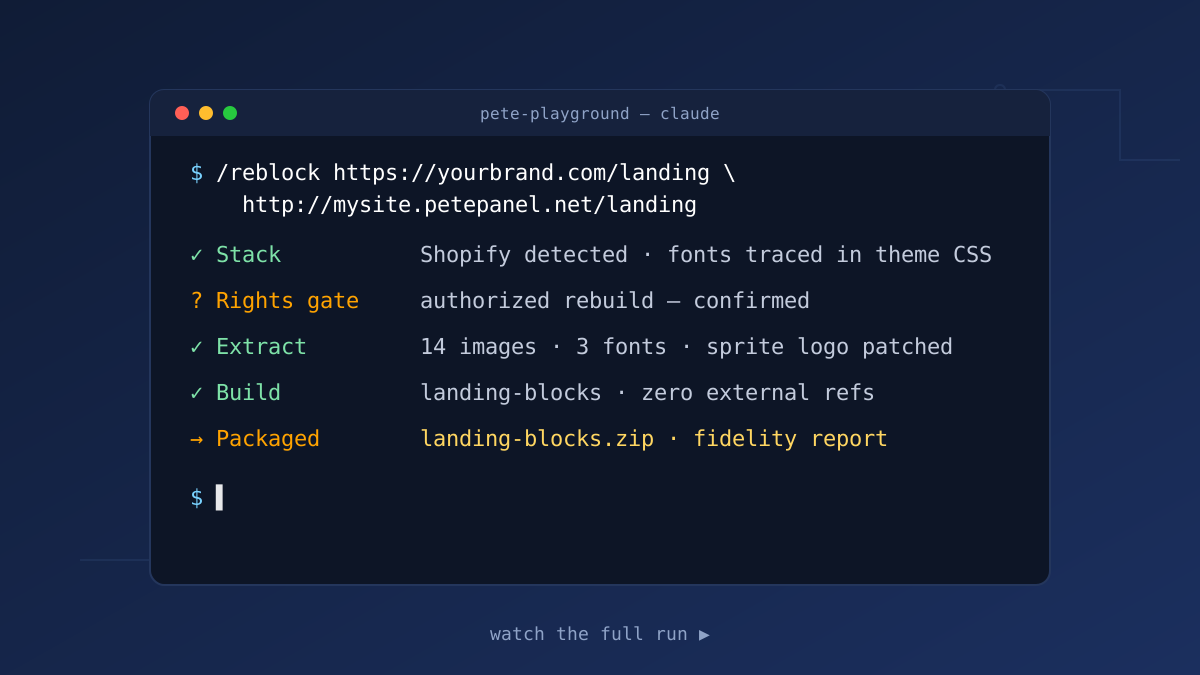
/reblock
Any page → block theme · rights-gated · stack-agnostic
Point it at a page on any stack — WordPress, Shopify, Webflow, headless — and it rebuilds the design as a self-contained block theme: bundled images, license-correct fonts, zero runtime references to the source. Before anything downloads, the rights gate asks one question: is this your property (faithful rebuild), or inspiration (an original design study with fresh branding, art, and copy)?
- Detect stack
- Rights gate
- Extract
- Build
- Verify
- Package
Rules learned the hard way
- Identify the source stack first — hashed bundles hide fonts; images may live on a separate origin entirely.
- Trace @font-face, never trust <link> tags — sites load unused font kits while self-hosting the real display face.
- Fonts by license — Google Fonts get bundled; commercial faces get an open substitute, documented.
- Match layout, not just content — header composition, sprite-sheet logos, CSS background images, spacing rhythm.
- Screenshots are the layout source of truth — text extraction misses what a picture shows instantly.
Field-tested on: Divi, Shopify, and headless-WP/Astro sources — three stacks, one repeatable process.
Need a workflow for your stack?
These two are just the beginning — every migration teaches the next rule. Tell us what you’re moving.